
Playback in the Editor
Previewing your work before moving on to Explanar.
Playback Speeds (0.5x–16x)
Next to the Actions menu in the Steps panel, the speed selector controls how fast the current step plays back when you hit Play or drag the scrubber: 0.5x, 1x, 1.5x, 2x, 4x, 8x, or 16x.
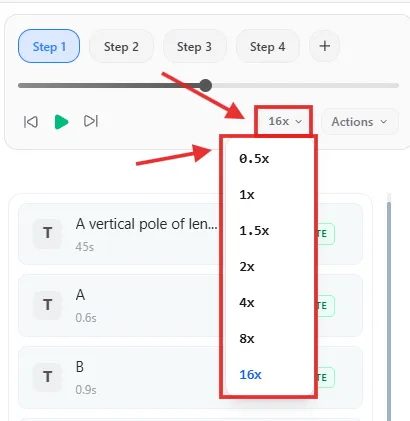
Slow it down to 0.5x to check the exact timing of a fiddly animation, or speed through a long step at 8x or 16x to get to the part you actually want to check.